
Ways to send a letter to the future, compared
A fair side-by-side look at FutureMe, other letter services, scheduled email and paper time capsules: price, how far ahead, photos and privacy.
Updated · 6 min read · By the Hello Dear Future team
There are four main ways to send a letter to the future: a dedicated letter service such as FutureMe, FuturePost or Hello Dear Future; scheduled send in Gmail or Outlook; a paper letter left with someone you trust; or a physical time capsule. Letter services are the easiest for letters years ahead, scheduled email suits short gaps, and paper is best when you want something to hold.
This page compares them side by side, using what each service says on its own website. We make one of these services, so we've stuck to published facts and said where others are a better fit.
Details about other services were checked on 13 October 2026 from their own websites. Prices and features change, so check them before you decide.
At a glance
| Option | Cost | How far ahead | Photos | Read before the date? |
|---|---|---|---|---|
| FutureMe | A free membership, plus yearly plans at $2 and $12 (USD) | From 7 days; their date picker goes to 2076 | With the $12 plan | With the $12 plan |
| FuturePost | Free | Their site mentions up to a decade | Yes | You can view and edit letters before delivery |
| Gmail scheduled send | Free | Not documented | Yes, as attachments | Yes, it's in your Scheduled folder |
| Outlook scheduled send | Free with Outlook | Not documented | Yes, as attachments | Yes, it's in your Drafts or Outbox |
| Paper letter or time capsule | Paper and a container | As long as someone keeps it | Prints and keepsakes | Up to whoever holds it |
| Hello Dear Future | First 3 letters free, then ₹20 a letter | 1 month to 50 years | Up to 3, ₹10 each | No, sealed until the day |
FutureMe
FutureMe is the best-known letter-to-the-future service, and many people's first introduction to the idea. You write a letter, pick a date, and it arrives by email. It has mobile apps for iOS and Android, birthday reminders, a version for schools called FutureMe Pro, and a large collection of public letters that writers choose to share anonymously.
Is FutureMe free? Their help centre refers to a free membership and also says that if you can't send letters, it "may be because you're not currently subscribed to our Premium Membership". Their subscribe page lists two yearly plans: The Little Hit at $2 USD a year, for one letter every year, and Big Energy at $12 USD a year, for as many letters as you like, opening letters early, adding images and videos, and styling. Prices were shown in US dollars when we checked from India.
Can you read FutureMe letters early? Their subscribe page lists "Open letters early" as part of the Big Energy plan.
Can you edit or cancel a FutureMe letter? Their help centre says you can edit a letter's content, date and recipients within 48 hours of writing it, and that letters can be deleted from "Your Letters".
What FutureMe does well: a long track record, apps on both phone platforms, public letters to read for inspiration, and photo, video and file attachments on the paid plan.
FuturePost
FuturePost is a free letter-to-the-future website with an iOS app. Its site says there are "no subscriptions or hidden fees", and that it's funded by voluntary contributions, sponsors and merchandise. It mentions photo attachments, lets you view, edit or delete letters before their delivery date, and can import letters exported from FutureMe and other services as a CSV file.
What FuturePost does well: it's free, and the import tool helps if you're moving letters from another service.
Scheduling an email in Gmail or Outlook
If your letter only needs to travel a few weeks or months, the email you already use can do it.
Gmail: write your email, open the menu next to Send, choose Schedule send and pick a date and time. Google's help page says you can have up to 100 scheduled emails, and that they're sent in the time zone you scheduled them in. It doesn't say how far ahead you can schedule.
Outlook: in the new Outlook and Outlook on the web, use the dropdown next to Send and choose Schedule send. In classic Outlook for Windows, use Delay Delivery ("Do not deliver before"); Microsoft notes that Outlook "needs to be online and connected for this feature to work".
The honest limits: a scheduled email sits in your own account, so you can open it any time, and it depends on that account still existing on the day. That's fine for a reminder next month; it's less suited to a sealed letter for ten years from now.
Best for: short gaps, when you don't want to sign up for anything.
A paper letter or a physical time capsule
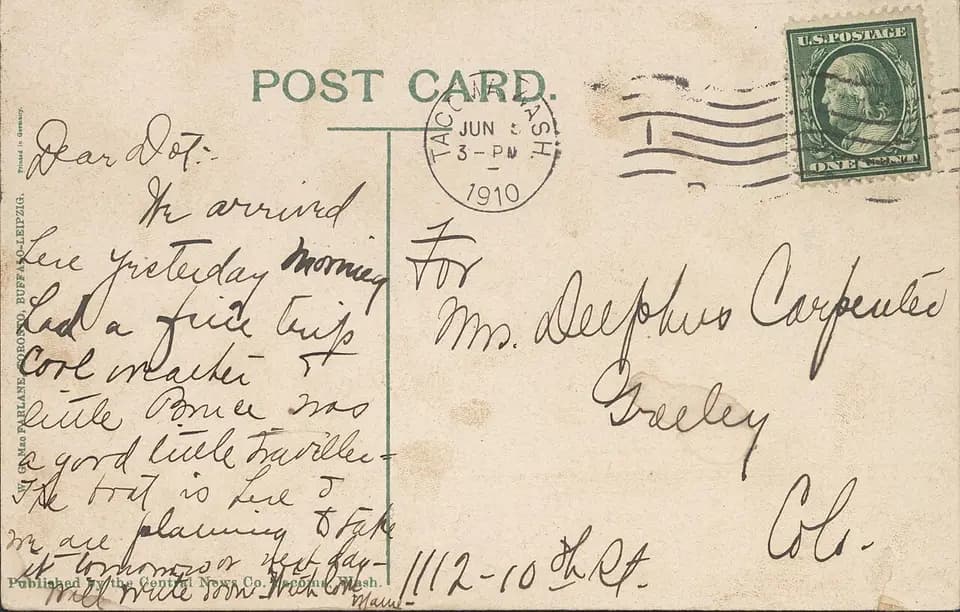
Writing on paper and sealing it in an envelope is the oldest way to do this, and it's still the only one that gives you handwriting, pressed flowers and ticket stubs you can hold.
You can leave a letter with a parent or friend to hand over on a date, or put letters and objects in a box to open at a reunion or on a birthday. The trade-offs: someone has to remember, the box has to survive house moves, and anyone holding it can open it early.
Best for: keepsakes, family traditions, and anyone who loves the feel of paper. It also works alongside a digital letter set to arrive on the same day as a reminder to open the box.
Hello Dear Future
This is us, so here's plainly what we do and don't do.
- What it is: you write a letter, add up to 3 photos, choose who it's for and the day it arrives. It's sealed until that morning (in your time zone) and delivered by email.
- Sealed means sealed. Nobody can read a letter before its date, including you. If you change your mind you can cancel it before delivery and your credits come back.
- Price: your first 3 letters are free. After that you buy credits in rupees with UPI, cards, netbanking or wallets: a letter is ₹20, each photo adds ₹10, and each extra person adds ₹10. There's no subscription and credits don't expire.
- How far ahead: from 1 month to 50 years.
- Several people: one letter can go to up to 10 people, who all receive it the same morning.
- What we don't do: no public letters, no video attachments, no paper post, and no way to read a letter early.
Which should you choose?
- You want to read public letters from other people, or attach video: FutureMe.
- You want a free service and to view or edit your letter before it arrives: FuturePost.
- You only need a reminder in a few weeks or months: Gmail or Outlook scheduled send.
- You want something to hold: a paper letter or a physical time capsule.
- You want a sealed letter with photos for your partner, family or future self, priced in rupees with UPI and no subscription: Hello Dear Future.
Plenty of people use more than one. A box of paper letters at home and a sealed digital letter that arrives on the same day go well together.
Questions people ask
Is there a free alternative to FutureMe?
FuturePost says it's free. Hello Dear Future gives you your first 3 letters free, then charges per letter with no subscription. Gmail and Outlook scheduled send are free but aren't designed for letters years ahead.
Can I read a letter to my future self early?
It depends on the service. FutureMe lists early opening on its Big Energy plan; FuturePost lets you view letters before delivery; scheduled emails are always visible in your own account. Hello Dear Future keeps letters sealed until their date on purpose.
What's the safest way to make sure a letter arrives in 10 years?
Use an email address you expect to keep, and send the letter to a second trusted person too, so it still arrives if one address stops working.
Seal it today and pick the day it arrives. Your first 3 letters are free.
Write a sealed letterKeep reading
How to write a letter to your future self
What to write in a letter to your future self, how to start and end it, prompts, a template and 4 example letters, plus how far ahead to send it.
6 min read
Digital time capsule: what it is and how to make one
What a digital time capsule is, what to put inside, ideas for couples, families and classrooms, and an honest look at digital versus paper capsules.
4 min read
Open when letters: ideas, what to write and how to send them
Open when letter ideas for your partner, best friend or family, what to write inside each one, how many to make, and how to send them to arrive on the right day.
5 min read